Overview
Features and highlights
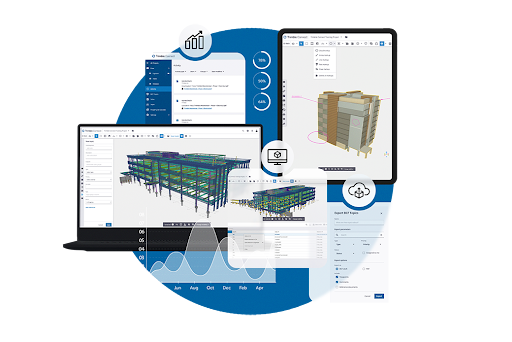
Designed for active collaborators who need to do more than just view files. Trimble Connect's Pro subscription allows you to manage projects, assign tasks, and lead teams with confidence.
Technical specifications
Browser support: Optimized for the latest versions of Chrome, Microsoft Edge, and Safari
CPU: Quad-core 1.6 Ghz
Memory: 8GB RAM
Storage: Unlimited
GPU: Integrated GPU 1GB memory
Connectivity: High-speed internet connection required for cloud-based features, sync applications, and license verification
Integrations: Native integrations and custom extensions available via Trimble Marketplace
Please visit help.trimble.mom for additional system requirements for Windows, Mobile, and Mirror applications.
Pricing and plans
Choose the right Trimble Connect plan for your business scale and technical needs. Available in both monthly and annual subscription options.
Pro: For teams seeking cross-functional project coordination and accountability.
Innovate: For teams seeking workflow integration, automation, data management and analytics.
Note: Final price including Federal and Provincial Taxes (GST/HST/PST) or local sales tax will be calculated at checkout based on your verified business address.
What's included
Included in a Pro subscription:
Unlimited project creation
Unlimited storage
2D Viewer and 3D Viewer
Comments, To-do's, Tags and file sharing
Clashsets to identify and manage clashes in a project
Read-only access to Status Sharing, Property Sets, Organizer and Data Table
Browser, mobile, desktop, and Mirror applications
Access and view Object Model data in the Trimble Connect 3D Viewer
24/5 technical support via email and the Trimble Support Portal
How it works
Purchase: Select your preferred plan and complete the checkout process
Activate: Once your order is confirmed, log in to the Trimble Admin Console using your Trimble ID (TID)
Assign Licenses: Use the console to assign licenses to yourself or your team members
Launch: Follow the setup link in your confirmation email to access the Trimble Connect for Browser web application
Complete your profile: Log into Connect to add your profile details, including country and state/province
Collaborate: Start creating projects and inviting collaborators immediately
Overview
Features and highlights
Designed for active collaborators who need to do more than just view files. Trimble Connect's Pro subscription allows you to manage projects, assign tasks, and lead teams with confidence.
Technical specifications
Browser support: Optimized for the latest versions of Chrome, Microsoft Edge, and Safari
CPU: Quad-core 1.6 Ghz
Memory: 8GB RAM
Storage: Unlimited
GPU: Integrated GPU 1GB memory
Connectivity: High-speed internet connection required for cloud-based features, sync applications, and license verification
Integrations: Native integrations and custom extensions available via Trimble Marketplace
Please visit help.trimble.mom for additional system requirements for Windows, Mobile, and Mirror applications.
Pricing and plans
Choose the right Trimble Connect plan for your business scale and technical needs. Available in both monthly and annual subscription options.
Pro: For teams seeking cross-functional project coordination and accountability.
Innovate: For teams seeking workflow integration, automation, data management and analytics.
Note: Final price including Federal and Provincial Taxes (GST/HST/PST) or local sales tax will be calculated at checkout based on your verified business address.
What's included
Included in a Pro subscription:
Unlimited project creation
Unlimited storage
2D Viewer and 3D Viewer
Comments, To-do's, Tags and file sharing
Clashsets to identify and manage clashes in a project
Read-only access to Status Sharing, Property Sets, Organizer and Data Table
Browser, mobile, desktop, and Mirror applications
Access and view Object Model data in the Trimble Connect 3D Viewer
24/5 technical support via email and the Trimble Support Portal
How it works
Purchase: Select your preferred plan and complete the checkout process
Activate: Once your order is confirmed, log in to the Trimble Admin Console using your Trimble ID (TID)
Assign Licenses: Use the console to assign licenses to yourself or your team members
Launch: Follow the setup link in your confirmation email to access the Trimble Connect for Browser web application
Complete your profile: Log into Connect to add your profile details, including country and state/province
Collaborate: Start creating projects and inviting collaborators immediately
Attention
Please get in touch with your account owner for assistance. If you wish to make a purchase, we recommend signing out and creating a personal account.